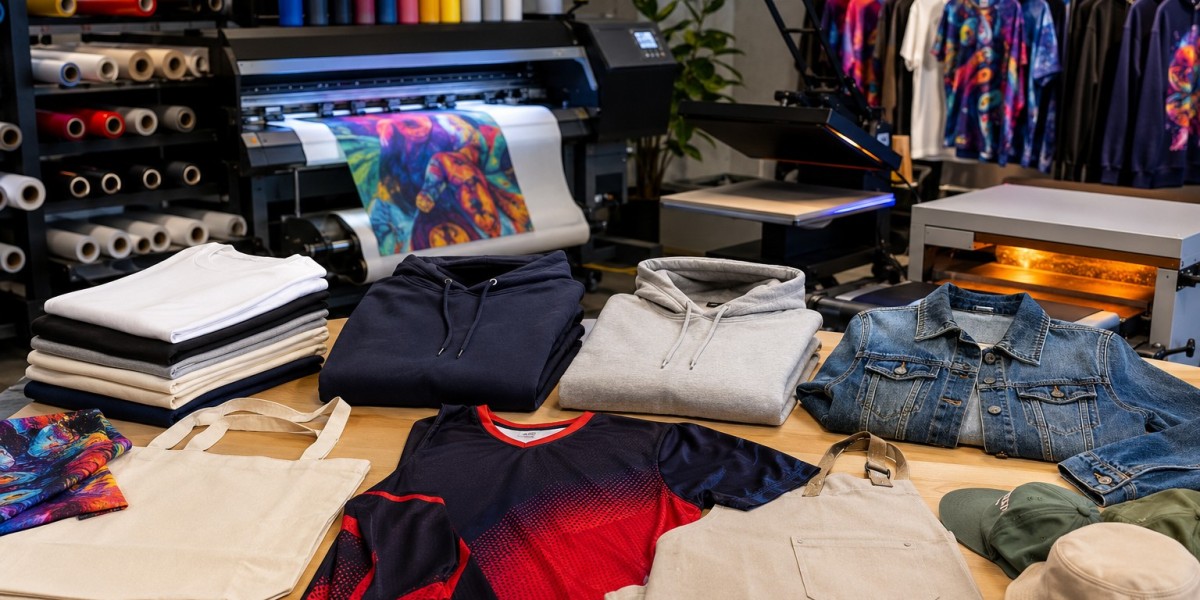

Running an apparel printing business is not simply about producing attractive designs. Behind every finished shirt is a chain of small tasks: preparing artwork, setting up production, managing transfers, pressing garments, checking quality, and finally packing orders. When one part of that chain slows down, the entire workflow can suffer.
For many growing print shops, DTF Printers have become part of a broader effort to make apparel production more flexible. The technology can support detailed graphics, short runs, personalized orders, and different garment types. But the equipment itself is only one piece of the puzzle. The real advantage comes when printing, transfer preparation, software, and finishing are organized as one connected workflow.
Why Apparel Workflows Become Complicated
A small printing operation may start with only a few daily orders. At that stage, manually moving between design preparation, printing, curing, pressing, and packaging may seem manageable.
The situation changes as order volume increases.
A shop handling dozens of different designs can quickly encounter misplaced files, inconsistent settings, unnecessary material handling, or delays between production stages. Employees may also spend more time preparing equipment than actually completing orders.
This is where workflow planning becomes important. Instead of looking at each machine separately, business owners should consider how every stage works together.
What an Integrated Printing Setup Means
An integrated setup brings several production requirements into a coordinated process. Depending on the business, this can include the printer, RIP software, transfer film, adhesive powder, curing equipment, heat press, and finishing area.
The objective is not necessarily to automate every task. It is to remove unnecessary interruptions.
For example, artwork can be organized and prepared before production begins. Multiple jobs can then be arranged according to garment type, color requirements, or delivery deadlines. Printed transfers can move directly into the finishing stage instead of sitting in an unorganized production area.
That kind of planning can make a noticeable difference during busy periods.
Start With the Production Requirements
Before choosing equipment, a print shop should understand what it actually produces.
A business specializing in personalized shirts may need a different setup from one producing branded workwear or large batches for clothing companies.
Consider:
- Average orders per day
- Typical design complexity
- Common garment materials
- Number of colors used
- Required turnaround times
- Available workspace
- Staffing levels
- Expected future growth
These details provide a much better basis for equipment decisions than simply choosing a machine because it has a higher advertised production speed.
The Role of Software in Workflow Efficiency
Printing hardware gets most of the attention, but software has an equally practical role. RIP software can help operators prepare files, manage layouts, control color-related settings, and organize production jobs.
A well-managed digital workflow reduces the chance of printing the wrong file or repeatedly adjusting the same artwork.
For shops with several employees, consistent software procedures can also make training easier. Instead of every operator developing a different method, the business can establish a standard process for preparing and sending jobs to production.
Organizing the Physical Workspace
Good workflow does not stop at the computer.
The physical arrangement of the production area matters. Printing equipment should have enough room for loading materials and routine maintenance. The powder and curing stages need a practical position within the production sequence, while the heat press should be accessible without creating unnecessary movement.
A simple layout might follow this order:
Artwork preparation → printing → powder application → curing → heat pressing → inspection → packaging
Keeping these stages reasonably close together can reduce unnecessary walking and handling.
Even a relatively small workshop can benefit from labeled storage areas for blank garments, transfer materials, finished products, and orders waiting for shipment.
Reduce Production Bottlenecks
Not every delay comes from the printer.
A shop may have fast printing equipment but still struggle because the heat press cannot keep up. Another business might have sufficient finishing capacity but lose time searching for artwork or matching garments with customer orders.
This is why production capacity should be considered as a complete system.
Track where jobs spend the most time. If printing takes 30 minutes but finishing takes two hours, increasing printer speed alone will not solve the bottleneck.
Small adjustments can sometimes produce better results than major equipment changes. Preparing batches of artwork, organizing garments before production, and grouping similar jobs are simple examples.
Maintain Consistent Print Quality
Speed is useful only when quality remains consistent.
Customers expect designs to have clean edges, accurate colors, good adhesion, and suitable durability. Quality problems can lead to reprints, wasted garments, and missed deadlines.
Operators should establish routine checks throughout production. Inspecting printed transfers before pressing can catch problems early. Checking finished garments before packaging prevents defective products from reaching customers.
Regular maintenance also matters. Cleaning schedules, proper storage of consumables, and following manufacturer recommendations can help equipment perform more consistently.
Choose Equipment With the Business in Mind
An DTF Printer should be evaluated according to the actual production environment rather than specifications alone.
Important considerations include printhead technology, production capacity, maintenance requirements, software compatibility, consumable availability, technical support, and the level of training provided by the supplier.
For a new business, ease of operation may be particularly important. A larger established shop may place more emphasis on throughput, automation, and scalability.
The supplier relationship should also be considered. Equipment support, onboarding, troubleshooting assistance, and access to compatible supplies can become valuable once the machine is part of everyday production.
Training Can Improve the Entire Workflow
Even good equipment can underperform when operators are unfamiliar with the production process.
Training should cover more than simply turning the machine on. Operators need to understand file preparation, media handling, maintenance routines, production settings, transfer application, and quality control.
Documenting these procedures can be especially helpful when a business has multiple employees. A simple internal checklist can ensure that important steps are not skipped during busy periods.
Think About Orders From Start to Finish
One useful way to improve production is to stop viewing printing as an isolated task.
Consider the customer order from the moment it arrives.
Is the artwork ready? Is the correct garment available? Has the transfer been prepared? Is the order deadline clear? Has the finished item passed inspection? Is packaging ready?
Answering these questions before production begins reduces last-minute surprises.
A well-organized workflow also makes it easier to estimate realistic delivery times. Customers appreciate accurate commitments far more than promises that cannot be met.
Where DTGPRO Fits Into the Process
Businesses researching apparel printing equipment can benefit from comparing different machine configurations, production capacities, and supporting technologies before making a purchase. DTGPRO provides a range of digital apparel printing solutions and related resources intended for businesses at different stages of production.
The important point is to evaluate equipment as part of the complete workflow. A machine that fits the business's current volume, workspace, operator skills, and growth plans can be more useful than an expensive system whose capabilities are rarely needed.
Conclusion
Improving apparel production is often less about working faster and more about removing unnecessary steps. A connected workflow can help a print shop manage artwork, materials, equipment, finishing, quality control, and order fulfillment with fewer interruptions.
Before investing in new technology, businesses should map their existing process and identify where delays or quality problems occur. From there, they can choose equipment and supporting tools that address those specific needs. With thoughtful planning, reliable supplies, trained operators, and a well-organized production area, a DTF Printer can become an effective part of a streamlined apparel workflow rather than simply another piece of equipment on the shop floor.