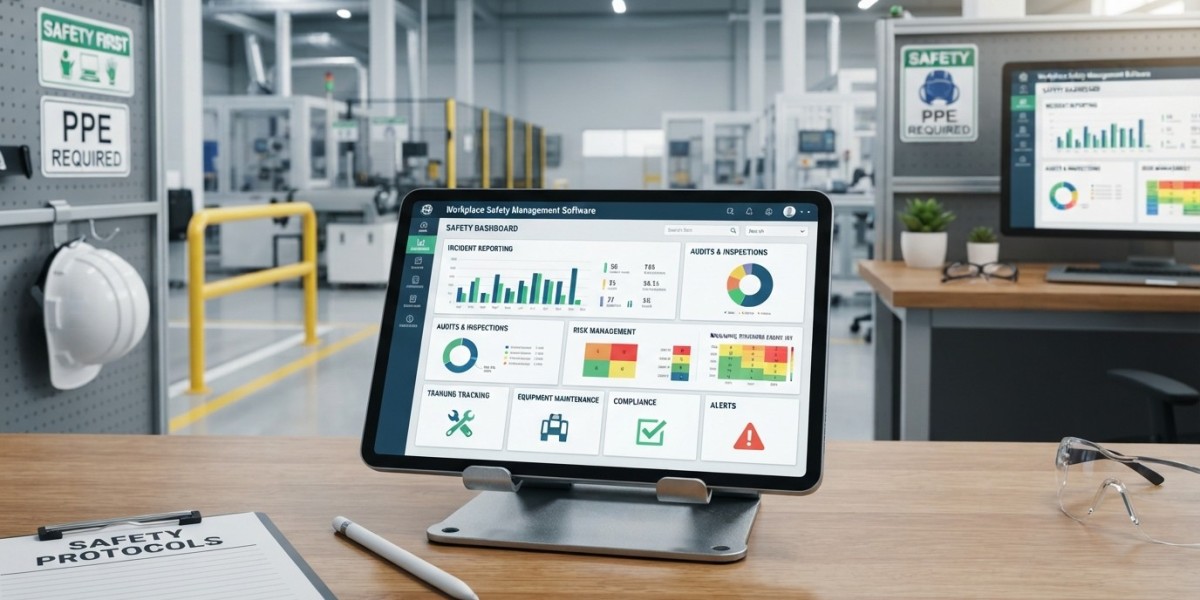

Managing workplace risks requires more than identifying hazards after something goes wrong. Businesses need a consistent way to identify hazards, assess risks, assign corrective actions, conduct inspections, and monitor safety performance. Workplace Safety Management Software can bring these activities together in one organized system. Instead of depending on spreadsheets, paper forms, emails, and separate records, you can use a centralized platform to manage safety information and follow up on risks. This gives safety teams and managers a clearer view of what is happening across the workplace and where action may be required.
What Is Workplace Safety Management Software
Workplace Safety Management Software is a digital solution designed to help organizations manage workplace safety activities and risk related processes.
A business may use the software to organize activities such as
- Workplace risk assessments
- Hazard identification
- Safety inspections
- Corrective actions
- Incident reporting
- Safety observations
- Compliance activities
- Employee safety records
- Safety documentation
- Risk monitoring
- Safety reporting
The exact features vary between platforms, but the main purpose is to give organizations a structured way to manage safety information.
When safety records are stored in one system, employees and managers can spend less time searching for documents and more time addressing actual workplace risks.
Why Workplace Risk Management Matters
Every workplace has risks, although the type and level of risk can differ significantly.
A construction site may deal with falls, equipment, and hazardous materials. A manufacturing facility may face machinery, chemical, and process related risks. An office may have ergonomic, electrical, fire, or emergency related concerns.
Workplace risk management helps organizations identify these risks and determine what controls should be put in place.
The process should not be treated as a one time activity.
Work environments change. New equipment is introduced, employees change roles, processes are modified, and new hazards can appear.
For this reason, businesses need a way to regularly review their risks.
Identifying Workplace Hazards
The first step in managing risk is knowing what hazards exist.
Employees and safety professionals can identify hazards during inspections, observations, assessments, incident investigations, and routine workplace activities.
Hazard management software can help organizations record these findings digitally.
For example, an employee might notice damaged equipment during a routine inspection.
Instead of writing the observation on paper and passing it to another person, the employee can record the issue in the system.
The organization can then assign responsibility, establish a target date, and track whether the corrective action has been completed.
This creates a clear record from identification through resolution.
Conducting Risk Assessments
Once a hazard has been identified, organizations need to assess the associated risk.
A risk assessment may consider factors such as the likelihood of an incident and the potential severity of its consequences.
Businesses can use risk assessment software to create standardized assessment processes.
Safety teams can record hazards, evaluate risks, identify existing controls, and determine whether additional controls are necessary.
Using a consistent digital process can make assessments easier to review and compare.
It can also help managers see which areas require greater attention.
Managing Corrective Actions
Finding a problem is only the beginning.
The organization also needs to make sure that someone takes action to address it.
Workplace safety software can help assign corrective actions to specific employees or departments.
A corrective action record may include
- Description of the issue
- Responsible person
- Required action
- Priority
- Due date
- Supporting documents
- Completion status
Managers can monitor open actions and follow up on overdue tasks.
This creates greater accountability because each issue has a visible status and assigned responsibility.
Safety Risk Management
Safety risk management involves continuously identifying, evaluating, controlling, and reviewing workplace risks.
Software can support this process by keeping related information connected.
For example, a risk assessment may identify a hazard that requires a corrective action.
That action can then be assigned to a responsible person and tracked until completion.
The organization can maintain the assessment, action, evidence, and review information within the same digital environment.
This makes it easier to understand the history of a risk and the steps taken to control it.
Safety Inspections
Regular inspections can help organizations identify unsafe conditions before they result in incidents.
However, paper based inspection processes can make it difficult to organize findings and follow up on them.
With workplace safety software, employees can complete digital inspection checklists using computers, tablets, or mobile devices, depending on the platform.
An inspection can cover areas such as
- Equipment condition
- Emergency exits
- Fire protection
- Personal protective equipment
- Housekeeping
- Electrical safety
- Workplace conditions
- Operational procedures
If an issue is identified, the inspector can record it and create a corrective action.
This can shorten the time between finding a problem and starting the response.
Incident Reporting And Risk Prevention
Incident reporting is another important part of workplace safety management.
Employees need a clear way to report incidents, near misses, unsafe conditions, and other safety concerns.
A digital reporting process can make it easier to submit information and notify the appropriate people.
The organization can then investigate the event and identify contributing factors.
Near misses are also important because they can provide information about risks before someone is seriously injured or significant damage occurs.
By reviewing incident and near miss information together with risk assessments, safety teams can identify recurring issues and determine whether existing controls need to be changed.
Connecting Incidents With Risk Assessments
One useful feature of an integrated safety platform is the ability to connect different safety records.
For example, an incident may reveal a hazard that was not adequately addressed in an existing risk assessment.
The safety team can review the original assessment, examine the incident information, and update the relevant controls.
This creates a feedback process.
Risk assessments guide preventive actions, while incidents and observations provide information that can be used to improve those assessments.
The result can be a more continuous approach to safety risk management.
Safety Compliance Software
Organizations often need to demonstrate that they are following applicable safety requirements and internal procedures.
Safety compliance software can help organize compliance related activities, documents, inspections, actions, and records.
Instead of keeping compliance evidence in multiple locations, organizations can maintain it within a centralized system.
Managers can also monitor upcoming activities and overdue requirements.
The software does not automatically make an organization compliant. Businesses still need appropriate policies, procedures, competent personnel, training, and controls.
However, a digital system can make compliance activities easier to organize and monitor.
Safety Documentation
Safety programs generate a significant amount of documentation.
This can include risk assessments, inspection reports, incident records, corrective actions, training information, policies, and other safety documents.
Managing these records manually can become difficult as an organization grows.
Workplace Safety Management Software can provide a central location for relevant records.
Authorized users can access the information they need without searching through physical files or multiple spreadsheets.
Document history and access controls can also help organizations maintain better oversight of important safety records, depending on the features provided by the software.
Real Time Safety Information
One challenge with traditional safety management is that information can become outdated before managers review it.
A centralized digital platform can provide more current information about open risks, inspections, incidents, and corrective actions.
For example, a safety manager could review the number of overdue corrective actions or open high priority risks.
This gives management a clearer picture of areas that may require immediate attention.
The value comes from keeping information accurate and updated rather than simply collecting large amounts of data.
Reporting And Safety Performance
Good safety management requires measurement.
Workplace safety software can provide reports and dashboards that help managers review safety activities.
Depending on the system, organizations may monitor
- Open corrective actions
- Completed corrective actions
- Inspection results
- Incident frequency
- Near miss reports
- Risk levels
- Overdue assessments
- Safety observations
- Compliance activities
These reports can help identify patterns.
For example, if similar hazards appear repeatedly in different inspections, management may need to examine whether the existing controls are effective.
Improving Employee Participation
Employees are often the people who notice workplace hazards first.
A safety management system should therefore make it reasonably easy for employees to report concerns.
A simple digital reporting process can encourage employees to share observations and unsafe conditions.
When employees see that their reports are reviewed and addressed, they may be more willing to participate in safety activities.
You can also use the system to assign safety tasks, distribute relevant information, and track participation where appropriate.
Technology should support employee involvement rather than make reporting more complicated.
Benefits Of A Centralized Safety System
A centralized system can provide several practical benefits.
Better Organization
Safety information is kept in a structured digital environment rather than scattered across different files.
Faster Follow Up
Managers can identify open actions and follow up with responsible employees.
Consistent Processes
Standardized forms and workflows can help teams follow similar procedures across locations.
Better Visibility
Management can see current information about workplace risks and safety activities.
Easier Reporting
Digital records can make it easier to prepare safety reports and review performance.
Improved Accountability
Assigned actions and due dates make responsibility more visible.
Choosing Workplace Safety Management Software
Before choosing a platform, you should consider your organization's actual requirements.
Ask questions such as
- Can the software manage risk assessments?
- Does it support hazard reporting?
- Can employees complete safety inspections digitally?
- Can corrective actions be assigned and tracked?
- Does it support incident reporting?
- Can safety records be accessed by different locations?
- Are reports and dashboards available?
- Can the system integrate with existing business applications?
- Does it provide suitable access controls?
- Can the platform scale as the organization grows?
You should also consider how easy the software is for employees to use.
A system with many features may not be useful if employees find it difficult to complete basic safety tasks.
Implementing A Workplace Safety Management System
Technology is only one part of a successful safety program.
Before implementation, define what you want the system to accomplish.
Start by identifying the safety processes that currently require the most manual work or have the greatest risk of information being missed.
You can then configure the software around those processes.
Employees should receive practical training before the system is introduced across the organization.
It is also useful to start with a limited group or location, collect feedback, and make adjustments before expanding the system.
Once implemented, managers should regularly review whether employees are using the platform correctly and whether the information being collected is actually helping improve safety.
Final Thoughts On Workplace Safety Management Software
Workplace Safety Management Software can give organizations a structured way to manage workplace risk management, hazard identification, risk assessments, inspections, corrective actions, incidents, and compliance activities.
Instead of treating safety records as separate administrative tasks, businesses can connect these activities within one system.
The greatest value comes when the software is supported by strong safety procedures and active employee participation.
If a hazard is identified, someone should be responsible for addressing it. If an incident occurs, the organization should investigate it and learn from the findings. If a risk assessment identifies a weakness, appropriate controls should follow.
Software can make these processes easier to organize, track, and review, but people remain responsible for making safety decisions.
When the technology, processes, and people work together, businesses can build a more consistent approach to safety risk management and create safer working conditions for employees.