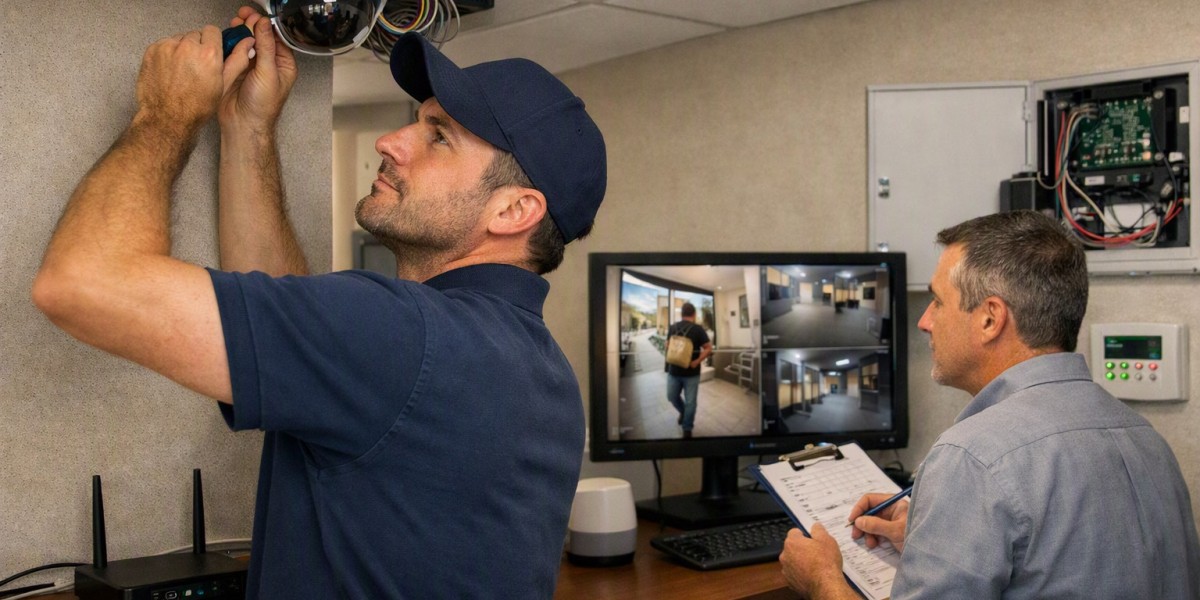

Security systems can work more reliably when they are checked and maintained regularly. Cameras, alarms, sensors, access controls, and other security equipment can collect dust, lose power, develop connection problems, or need software updates over time. Simple maintenance helps identify these issues before they affect normal operation.
Why Regular Maintenance Matters
Security equipment is often used every day, but it can be easy to forget about it once it has been installed. A camera may slowly become dirty, a sensor may become less responsive, or a battery may become weak.
Regular checks help confirm that each part is working as expected. Maintenance can also help find small problems before they become larger repair issues. The exact maintenance schedule depends on the type of equipment, how often it is used, and the environment where it is installed.
Cleaning Security Cameras and Lenses
Security cameras need clear lenses to capture useful images. Dust, dirt, fingerprints, moisture, and other particles can affect image quality.
Camera lenses can be checked and cleaned with suitable materials. Outdoor cameras may need more frequent attention because they are exposed to rain, dust, wind, and changing temperatures. The camera housing should also be checked for visible damage or signs of moisture.
The camera position is another point to check. A camera can sometimes move slightly because of vibration, accidental contact, or other reasons. If its viewing angle changes, an important area may no longer be covered properly.
Checking Alarm Systems
Alarm systems contain different parts, including control panels, alarms, sensors, and backup batteries. These parts should be tested from time to time to make sure they respond correctly.
Door and window sensors should be checked for proper operation. Motion sensors can also be tested to confirm that they detect movement as expected. Alarm sounds should be checked according to the equipment instructions.
Backup batteries are especially important. A battery that has become weak may not provide enough backup power during a power interruption. Battery condition and replacement intervals should be checked based on the manufacturer's recommendations.
Inspecting Access Control Equipment
Access control systems may include card readers, keypads, electronic locks, and other entry devices. These components can experience regular wear because people use them frequently.
Keypads should be checked for damaged buttons, while card readers should be inspected for dirt or physical damage. Electronic locks should operate smoothly without unusual sounds or delays.
User access records may also need to be reviewed from time to time. Old users, lost cards, or access permissions that are no longer required should be handled according to the site's security procedures.
Checking Cables and Connections
Cables and connections are important parts of many security setups. Loose connections can cause cameras, sensors, or other equipment to stop working correctly.
During maintenance, visible cables can be checked for damage, loose fittings, or signs of wear. Network connections should also be checked when cameras or other devices depend on a local network.
Outdoor cables may require additional attention because weather conditions can affect exposed components. Any damaged wiring should be handled by a suitably qualified person.
Testing Power Supply and Backup Power
Security equipment needs a stable power source to operate properly. Power adapters, batteries, backup systems, and related connections should be checked as part of routine maintenance.
A power interruption can affect cameras, alarms, access controls, and recording equipment. Where backup power is available, it should be tested according to the equipment instructions.
It is also useful to check whether all connected equipment starts and operates correctly after a power interruption or restart.
Updating Software and Device Settings
Many modern security devices use software or firmware to control their functions. Manufacturers may release updates to improve operation, fix technical problems, or support new features.
Software and firmware should be checked periodically using the manufacturer's recommended process. Before making major changes, important settings and system information should be recorded where appropriate.
Passwords and user permissions should also be reviewed regularly. Access should be limited to people who need it for their role.
Reviewing Recording and Storage
For systems that record video, storage should be checked regularly. A full or incorrectly configured storage device can affect how new footage is saved.
It is useful to confirm that cameras are recording correctly and that recorded footage can be accessed when needed. Storage settings, recording periods, and available space should be reviewed based on the site's requirements.
Any unusual gaps in recordings should be investigated rather than ignored.
How Often Should Maintenance Be Done?
There is no single maintenance schedule for every security setup. A small indoor system may need different checks from a large system installed outdoors.
Basic visual checks can be done regularly, while more detailed inspections can be scheduled at longer intervals. Equipment manuals and manufacturer recommendations should be used when deciding maintenance intervals.
Keeping a simple maintenance record can also help. The record can include the date of each check, equipment inspected, issues found, cleaning completed, battery changes, software updates, and any repairs carried out.
Regular checks are a practical part of managing Security systems, especially when the equipment includes cameras, alarms, sensors, access controls, recording devices, and backup power. A simple maintenance routine can help keep these components clean, connected, powered, and ready for normal use.